Accessing Your DelphiPlus Email
|
Inbox |
|
Password |
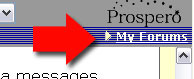
First, go to your 'My Forums' page by clicking on the link in the upper right-hand corner of any forum you visit.
Then, find your email link on the left side of the page and RIGHT-click on it. Select 'copy shortcut'.
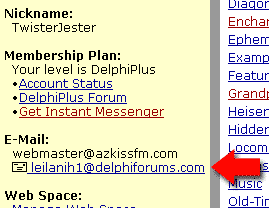
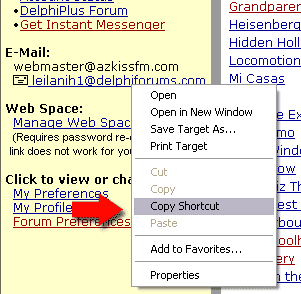
Mac users: Use option (alt) key + mouse click and choose the option "copy link to clipboard."
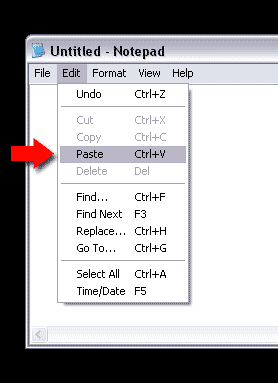
Next, open your notepad or wordpad editor and paste - it will give you a long string of code. Your email password is NOT your regular Delphi login password! You need to find it in the string. It will be 8 characters long, generally a combination of letters and numbers. (Incidentally, I edited in the password below - it's not mine, lol.)
Mac users: Open sImpletext and then paste the link into the document.
The part I highlighted in red is your password for email access ONLY. Your DelphiForums regular password has not changed.
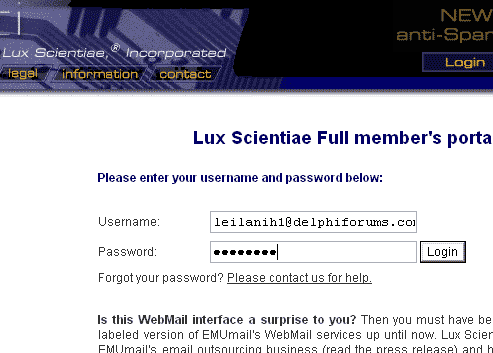
When you click on the link, it will now take you to a login page that looks like this. Log into your account by using YOURNAME@delphiforums.com, and the password you found above. Use your own username where the email addy in this paragraph shows red. IMPORTANT NOTE: Both your member name and your password are case-sensitive. I used all caps here only for emphasis.
IMPORTANT NOTE TO LINUX USERS:
All drop-downs on the new email system are mouseover-based. If you are using Linux operating systems, you may need to access IE to get the mouseover aspect to work!